

Should I Buy? Ask your friends first.
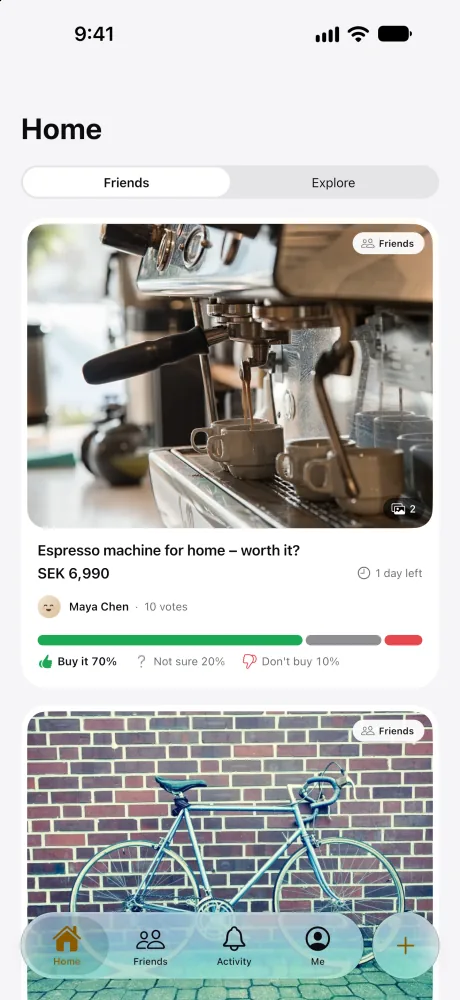
Not sure about a purchase? Ask the friends you trust. They vote Buy it, Don't buy or Not sure and suggest better options, and you decide with their advice in front of you.
Out now: free on the App Store and Google Play.
- iPhone and iPad
- Android phones, tablets and foldables
- English and Swedish
- Free, no ads
How it works
From “should I?” to “I did”.
One ask, one tap from each friend, and the advice in one place before your decide-by time.
You
Ask
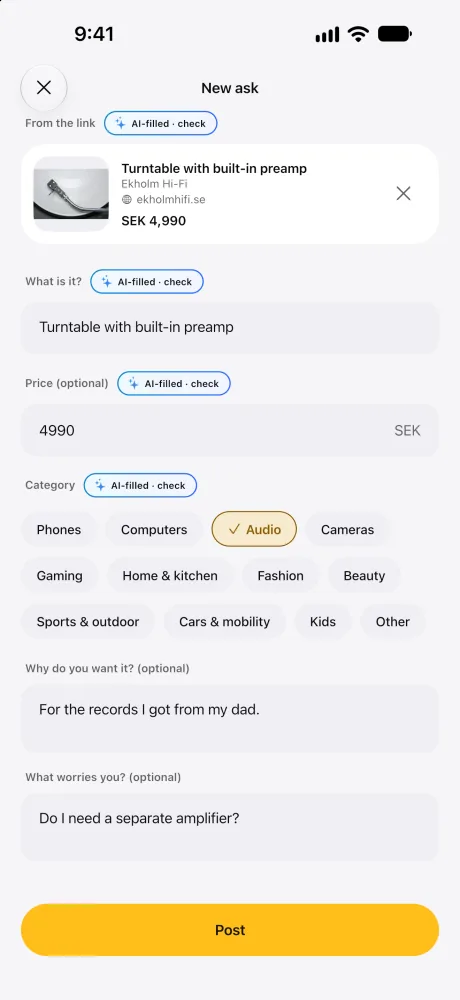
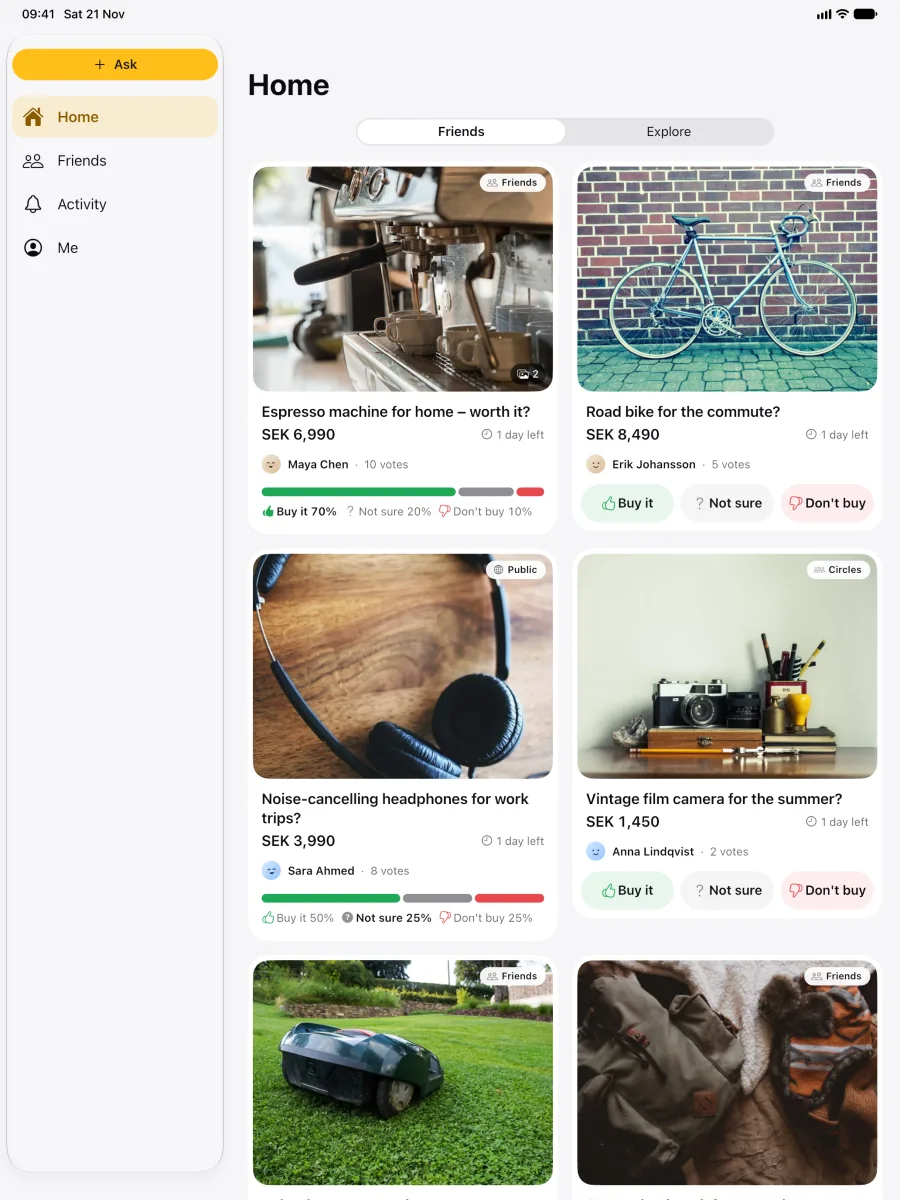
Post what you want from a product link, photos or just text. Add the price, your budget, why you want it and what worries you.
Friends, one tap
Vote
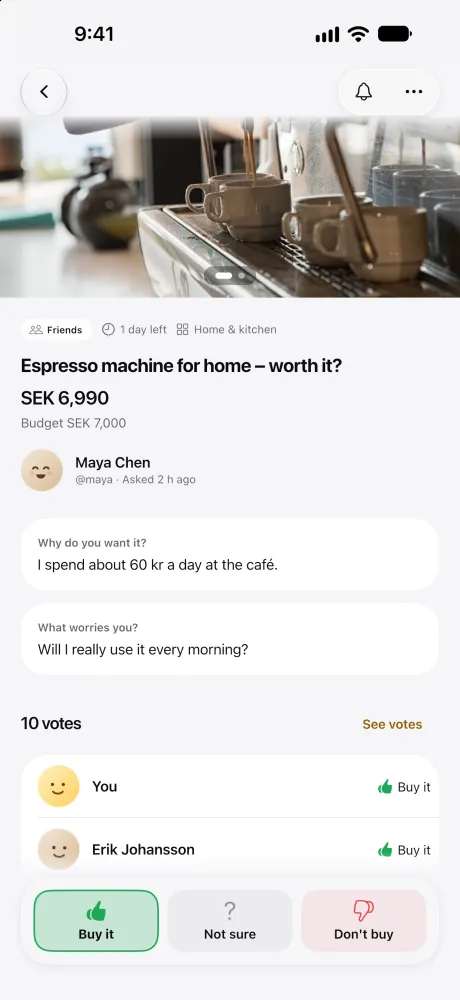
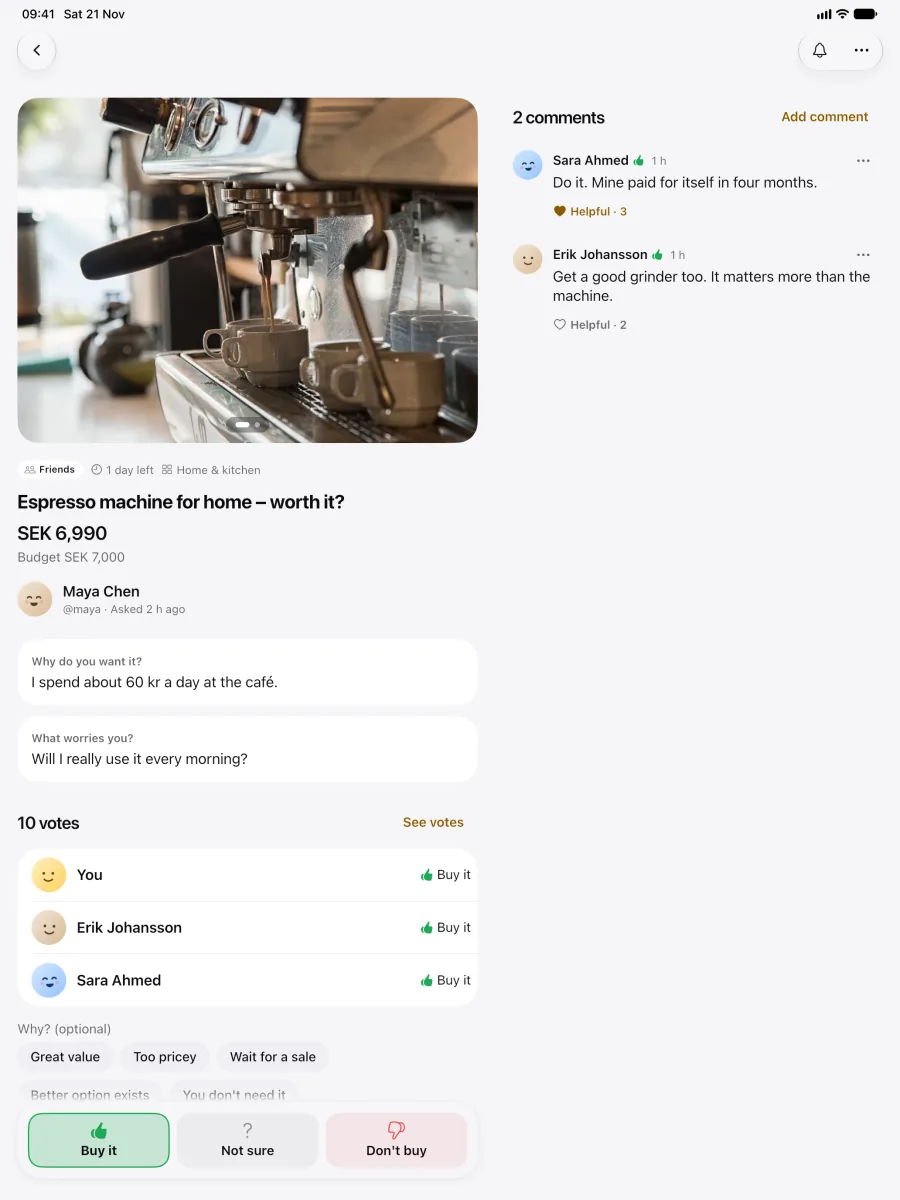
Buy it, Don't buy or Not sure, with an optional reason. Results show after you vote.
Friends
Advice
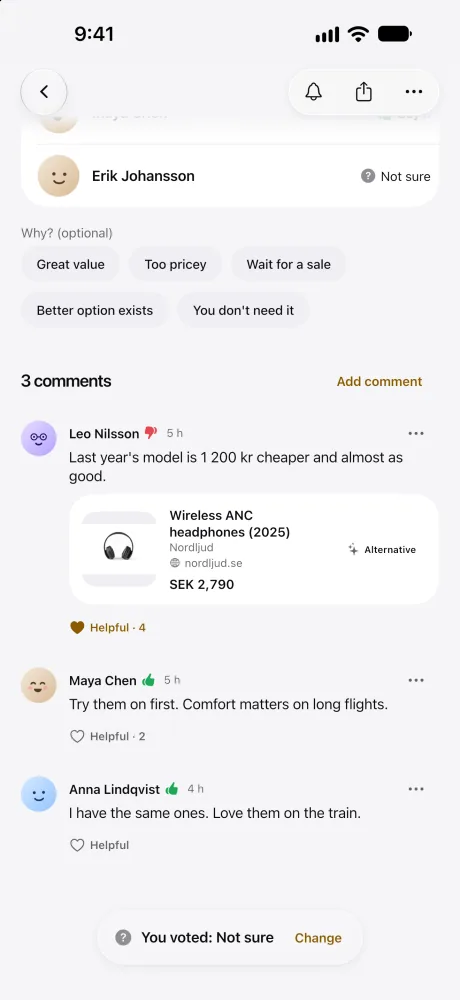
Comments with a link card, better options as product cards, and Helpful marks on the best tips.
48 hours by default
Decide
You set a decide-by time when you ask. Then you make the call, with the votes and the advice in front of you.
You
Tell what you did
Bought it, Didn't buy, Changed my mind or Still deciding. Later, add how it went.
What it does
Built around one question.
Every part of the app helps your friends answer it quickly, and helps you decide.
Ask
Start from a link, a photo or a few words.
Paste a product link, add photos or just type what it is. Then add what your friends need to know.
- Price and your budget
- Why you want it, and what worries you
- A decide-by time, 48 hours by default
Vote
One tap: Buy it, Don't buy or Not sure.
Friends vote with one tap and can add a reason. Results show only after you vote, so nobody just follows the crowd.
The votes
- Buy it
- Don't buy
- Not sure
Reasons to pick from
- Great value
- Too pricey
- Wait for a sale
- Better option exists
- You don't need it
Advice
Advice you can act on.
Friends comment with a link that shows as a card, or suggest a better option as a product card. You mark the advice that helped.
- Comment
- Suggest alternative
- Helpful
AI help, if you want it
Product details, prices and alternatives.
AI help is off until you turn it on, and the manual way always works.
Details from a link
Paste a shop link and AI fills in the title, brand, price and images. Fields that AI filled in are marked, so you can check them.
Price check
Offers from shops in your country, with links to them.
Smart alternatives
Other products worth a look, each with a reason.
Outcome
Tell everyone what you did.
Close the loop for the friends who helped. Everyone who voted hears what you decided, and later you can add how it went.
What you did
- Bought it
- Didn't buy
- Changed my mind
- Still deciding
How it went
- Love it
- It's fine
- Regret it
Friends and Circles
Your people, your audience.
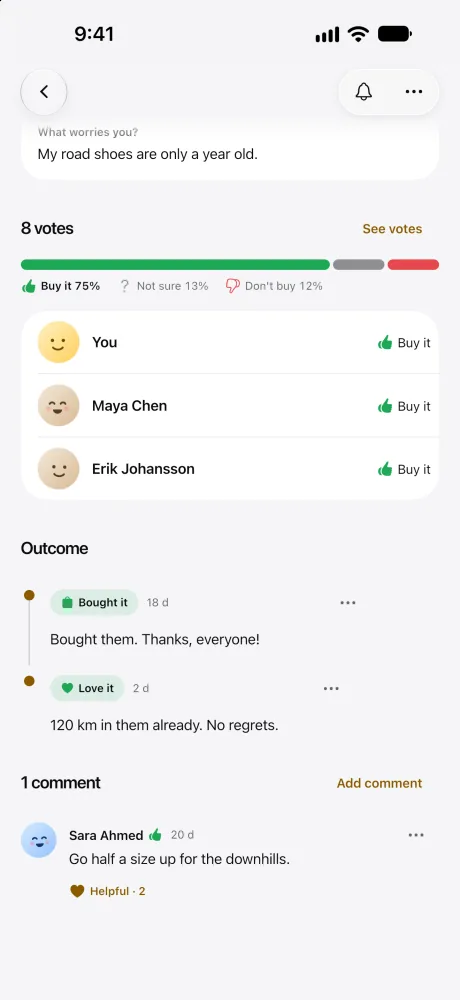
Add friends by @username, an invite link or a QR code. Make Circles such as Family or Car nerds for targeted asks, and choose who sees each ask. New asks go to Friends unless you change it.
- Public
- Friends
- Circles
- Link only
Watch any ask to follow its comments, alternatives and outcome, and turn push notifications on or off for each type.
Devices
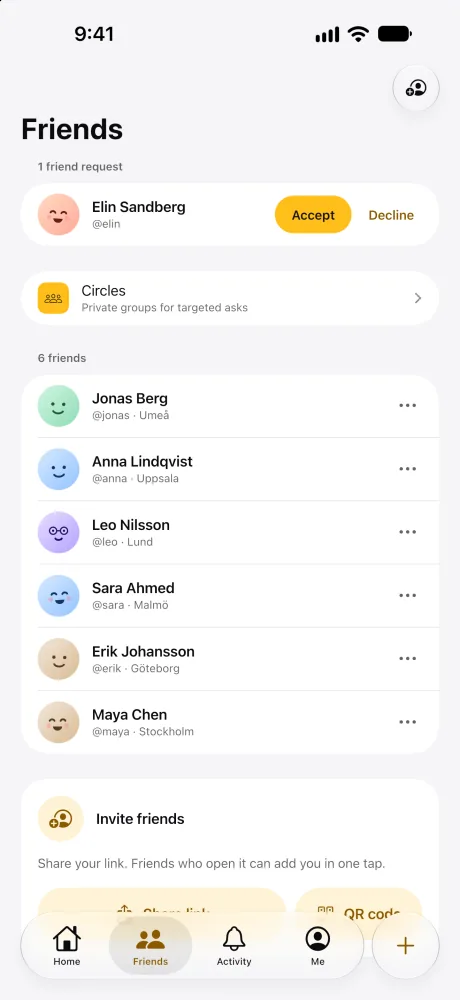
On iPhone, iPad and Android.
The same app on phones, tablets and foldables, in English and Swedish. In Swedish, it is called Ska jag köpa?
Should I Buy? at a glance
- Publisher
- Royan AB, Nacka, Sweden
- Price
- Free, no ads
- iPhone and iPad
- iOS 17 or later
- Android
- Android 8 or later: phones, tablets and foldables
- Languages
- English and Swedish
- Sign-in
- Email link or 6-digit code, no password
- App Store name
- Should I Buy? Ask Friends
- Download
- App Store and Google Play, since 25 November 2026
Privacy
Private by default.
The app asks only for what it needs, and the private choice comes first.
No password
Sign in with a link or a 6-digit code that we send to your email.
Friends by default
A new ask goes to your friends. You can choose Public, Circles or Link only for each ask.
City, never GPS
The app asks for your city, never your location. On public asks your city stays hidden unless you turn it on.
Analytics only with a yes
Usage analytics only after you say yes. No ads, no advertising ID and no tracking across apps.
Your data, any time
Export your data, or delete your account in the app or on the web.
Moderated
Posts get an automated check, and you can report an ask, a comment or a person.
Not a chat app
No DMs. No group chats. Just advice.
Friends answer on the ask itself: a vote, a reason, a comment or a better option. Everything stays with the thing you asked about.
In the app
- Votes with a reason
- Comments on the ask
- Better options
- An outcome at the end
Not in the app
- Direct messages
- Group chats
FAQ
Questions about Should I Buy?
What is Should I Buy?
A free app to ask your friends before you buy. You post the thing you want, friends vote Buy it, Don't buy or Not sure and give advice, and you tell them what you did. In Swedish, the app is called Ska jag köpa?
Is Should I Buy? free?
Yes. The app is free and has no ads.
Who can see my ask?
You choose for each ask: Public, Friends, Circles or Link only. A new ask goes to your friends unless you change it.
Why do I see the results only after I vote?
So that nobody just follows the crowd. Vote first, then you see how the others voted.
Do I have to use AI?
No. AI help is off until you turn it on in the app. Without it, you fill in the details yourself, and everything else works the same.
Can I chat with my friends in the app?
No. Should I Buy? has no direct messages and no group chats. Friends answer on the ask itself, with a vote, a reason, a comment or a better option.
How do I sign in?
With your email address. We send you a sign-in link and a 6-digit code: tap the link or type the code. There is no password.
Which devices and languages does it support?
iPhone and iPad with iOS 17 or later, and Android 8 or later on phones, tablets and foldables. The app is in English and Swedish.
Where can I download Should I Buy?
On the App Store for iPhone and iPad, and on Google Play for Android. On the App Store, the app is called Should I Buy? Ask Friends. It is free in both stores.
Do my friends need the app?
Yes, to vote and comment. Send them your invite link or QR code from the app. When they join from your link, you are friends right away.
Who makes Should I Buy?
Royan AB, a software company in Nacka, Sweden.